

Turning an Excel Product List into Smarter Barcodes, QR Codes and Visual Inventory Records
In many warehouses, inventory management still depends on spreadsheets filled with product codes, descriptions and quantities. Excel is useful, but when employees need to identify hundreds of similar products quickly, text and numbers are not always enough.
What if the same Excel file could automatically produce scannable barcodes, QR codes and visual product records?
This Python application was developed to do exactly that.
From Excel data to ready-to-use product codes
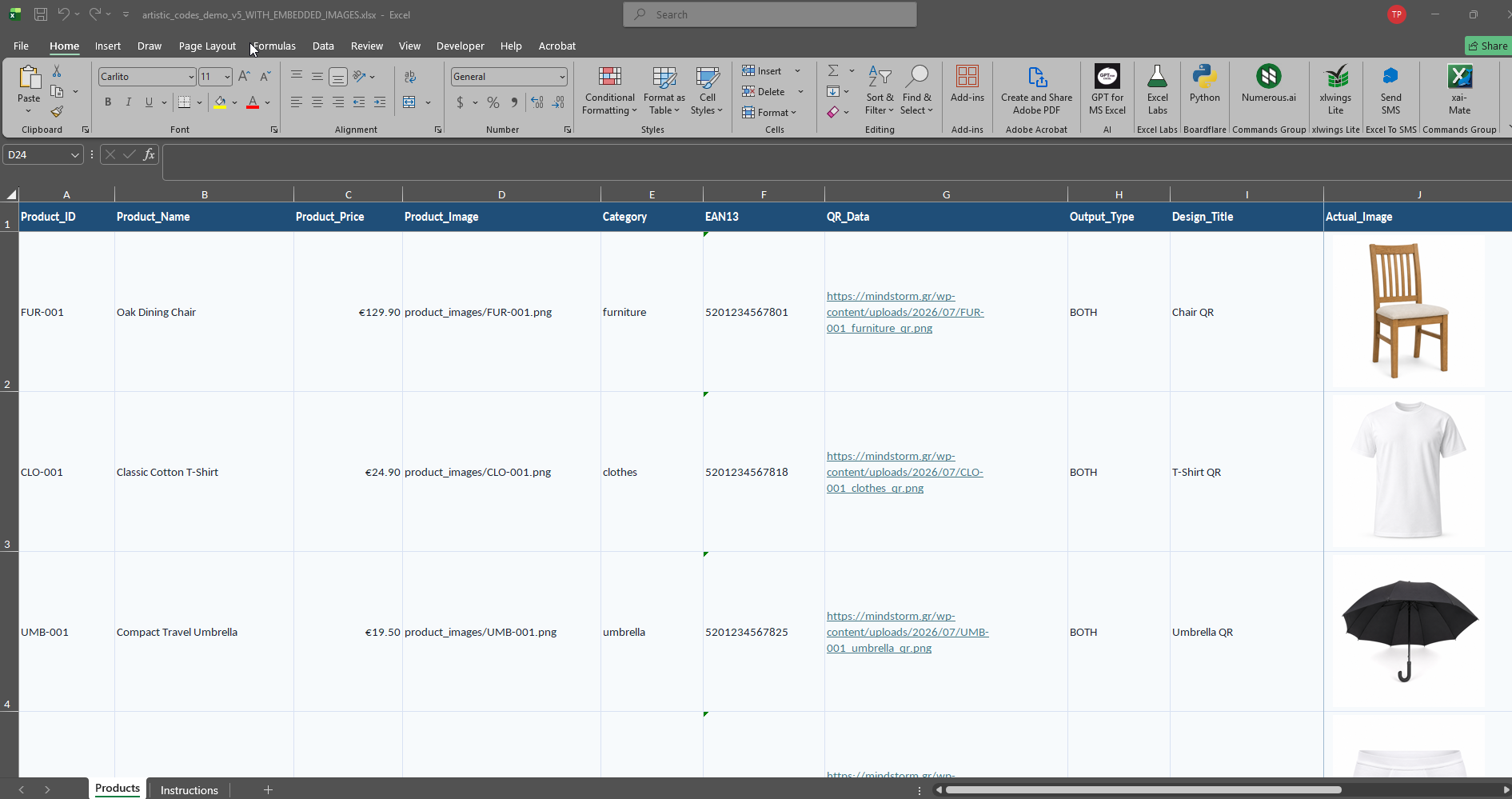
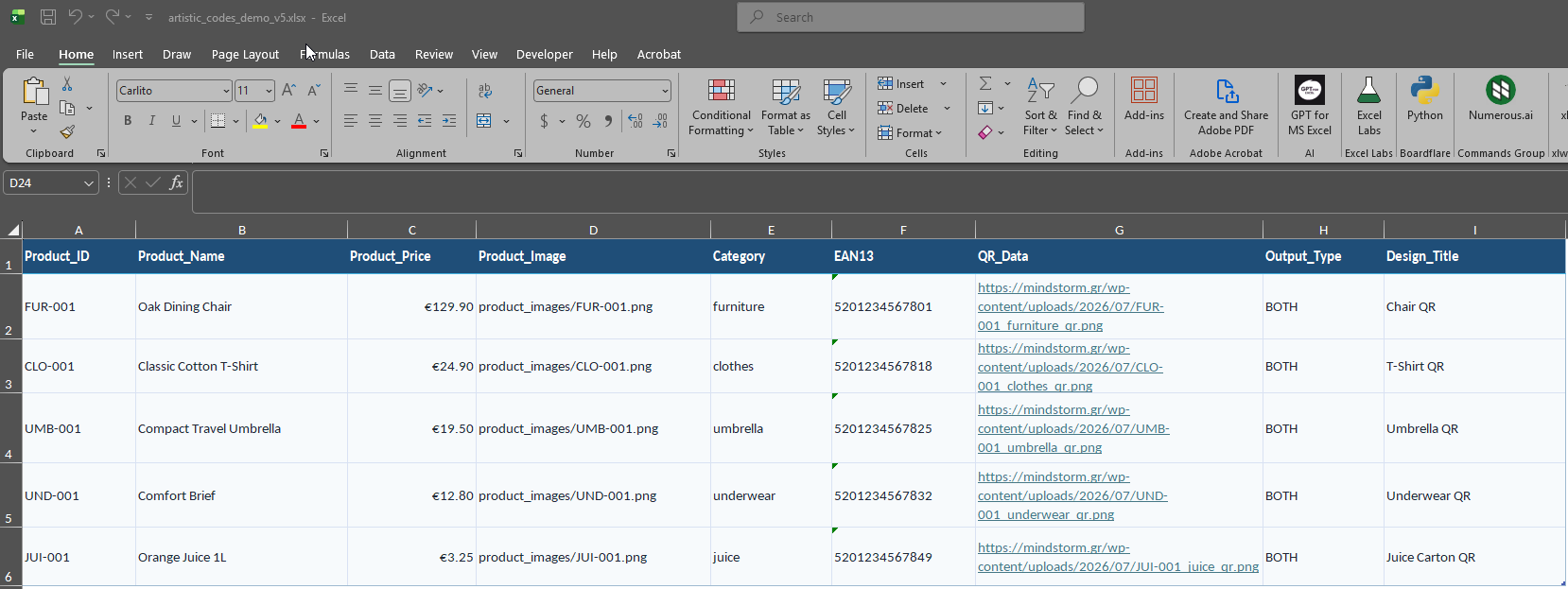
The application reads product information directly from an Excel or CSV file. Each row can include fields such as:
- Product ID
- Product name
- Product price
- Product category
- EAN-13 barcode
- QR code content
- Product image
- Output type
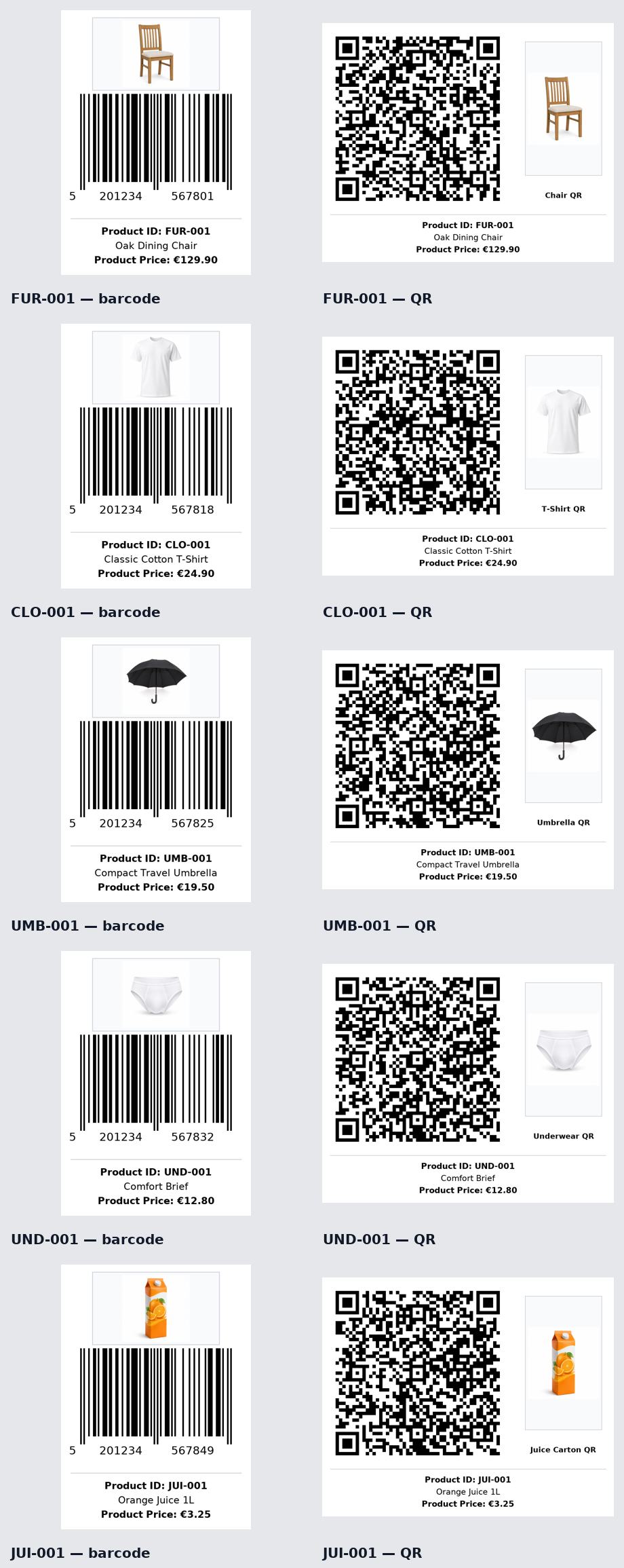
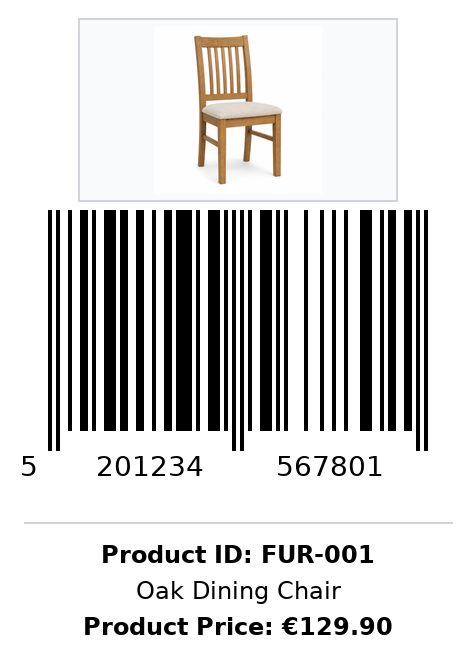
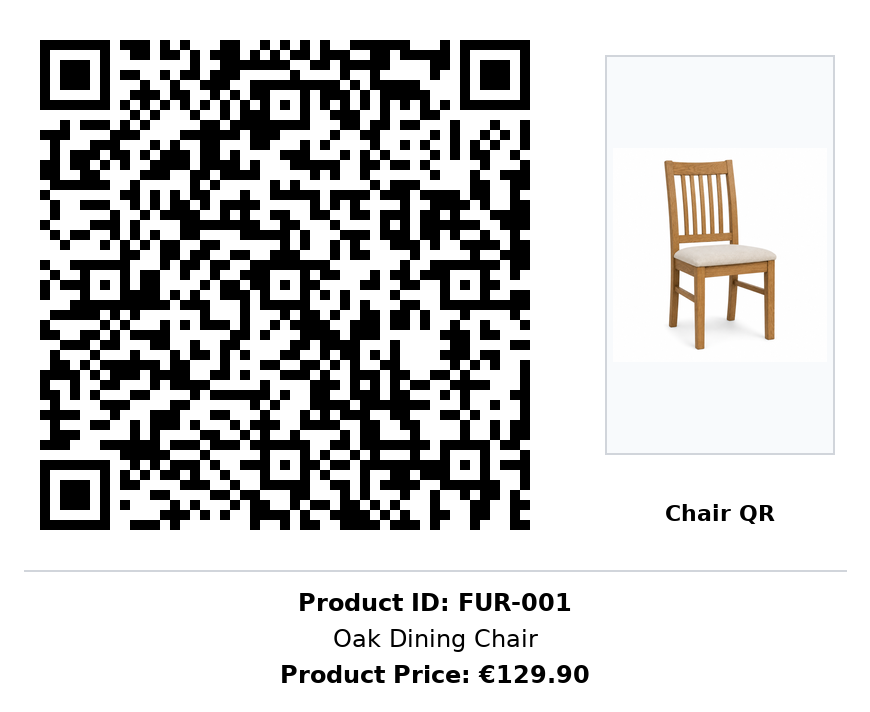
Using this information, the application automatically creates a separate barcode and QR code image for every product.
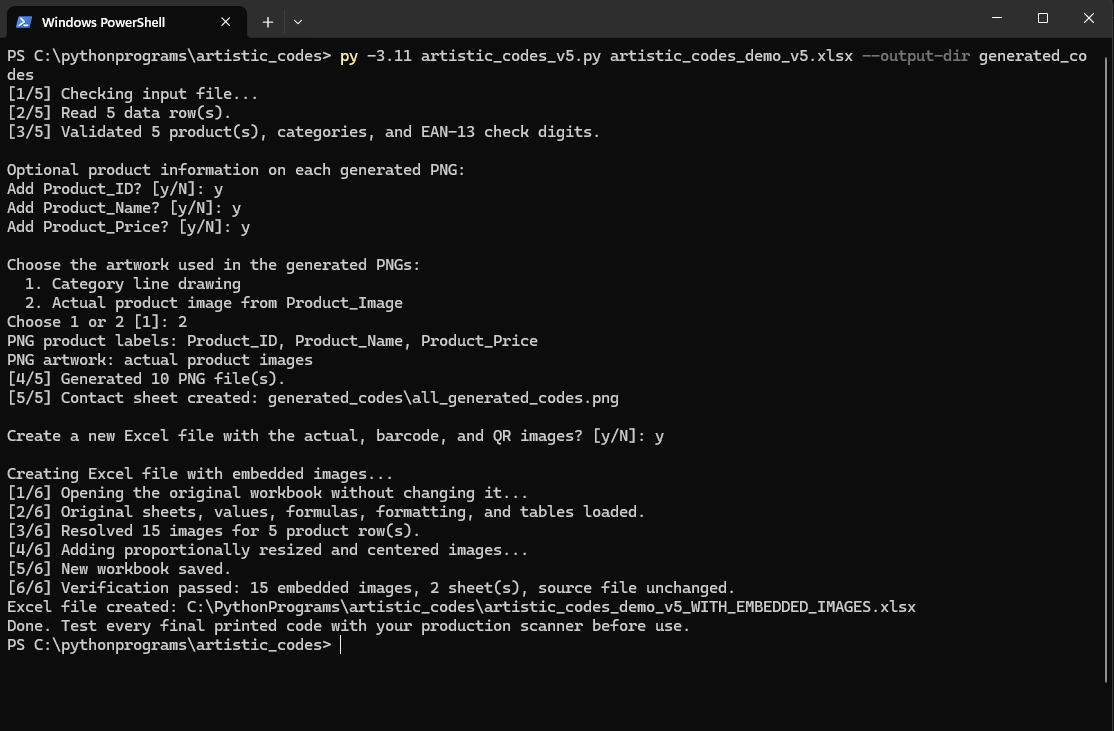
Before the process begins, the user can decide whether the generated images should also display the product ID, product name and price.
Category artwork or the actual product image
A particularly interesting feature is the ability to choose between two visual styles.
The first option uses a simple category illustration. A furniture product can use a chair design, clothing can use a T-shirt, and other categories can have their own recognizable artwork.
The second option uses the actual photograph of the product.
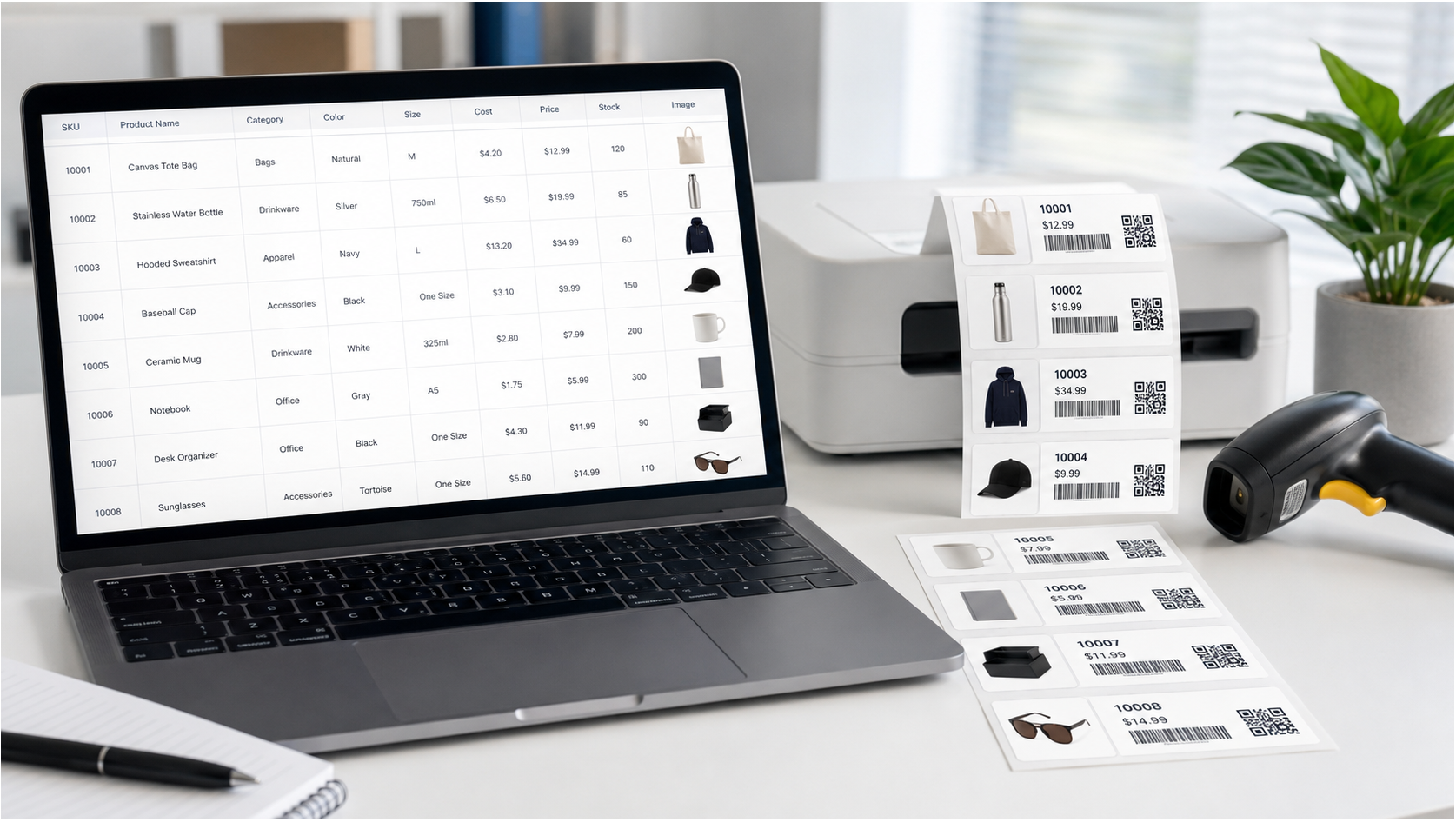
This allows employees to identify an item visually before they even read its description or scan its code. In a busy warehouse, this can be especially useful when products have similar codes, packaging or names.
A visual Excel inventory catalogue
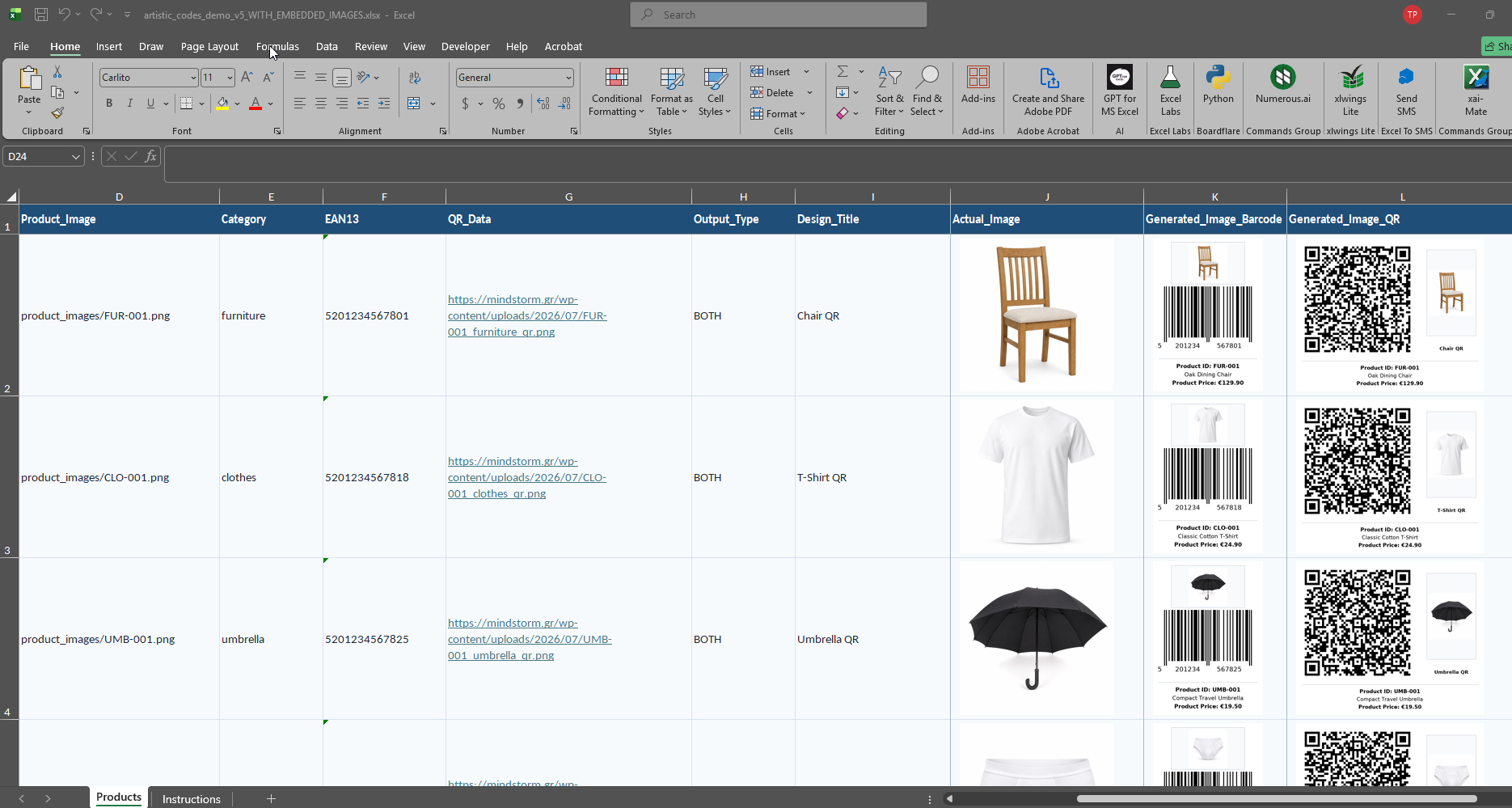
The application can also create a new Excel workbook containing:
- The original product information
- The actual product image
- The generated barcode image
- The generated QR code image
The images are embedded directly into the spreadsheet and resized proportionally. Row heights and column widths are adjusted automatically, creating a compact visual product catalogue.
The original Excel file remains unchanged. A separate workbook is created with the additional image columns.
How can this help a warehouse?
This type of automation can support several everyday warehouse activities:
- Faster product identification
- Easier stock checks and cycle counting
- Clearer picking and packing instructions
- Fewer mistakes between similar products
- Faster preparation of product labels
- Better communication between warehouse and office employees
- Visual inventory lists for training new staff
- Easier connection between physical products and digital information
A QR code can also contain more than a simple product number. It can point to a product page, technical specifications, storage instructions, warranty information or an internal inventory record.
Useful beyond the warehouse
The same system can benefit retailers, wholesalers, distributors, manufacturers and e-commerce businesses.
For example, a company could use it to create:
- Product catalogues
- Shelf and storage-bin labels
- Picking lists with product images
- QR-enabled price lists
- Product identification sheets
- Internal stock-control documents
- Labels for exhibitions or showrooms
- Visual purchasing and sales records
Because the application works from Excel or CSV data, it can fit into existing workflows without requiring a completely new inventory platform.
Automation without losing control
The goal is not simply to generate attractive codes. The goal is to transform existing product data into something more practical for daily operations.
The user still controls:
- Which products are processed
- Whether a barcode, QR code or both are generated
- Which information appears on the images
- Whether category artwork or real product photographs are used
- Where the generated files are saved
- Whether a new visual Excel catalogue is created
The application also checks EAN-13 digits, validates image paths and reports missing files with product-specific error messages.
An important practical consideration
Decorative elements and product photographs are kept outside the protected scanning areas. However, every final barcode and QR code should still be tested with the scanners, mobile devices and printers that will be used in the real working environment.
Print quality, label dimensions and scanning distance can all influence the result.
From a simple spreadsheet to a practical inventory tool
This project demonstrates how a familiar Excel product list can become the foundation of a more visual and efficient inventory workflow.
Instead of manually creating codes, matching images and preparing separate catalogues, the business can automate the entire process from a single structured file.
For warehouses and companies trying to reduce repetitive work, improve product recognition and limit inventory errors, this is a practical example of how relatively simple automation can deliver immediate operational value.
How to run it: py –3.11 artistic_codes_v5.py artistic_codes_demo_v5.xlsx —output-dir generated_codes
py files : artistic_codes_v5.py, create_excel_with_embedded_images.py
excel files : artistic_codes_demo_v5.xlsx, artistic_codes_demo_v5_WITH_EMBEDDED_IMAGES.xlsx
All Generated Codes
Chair Barcode
 Chair QR



Comments are closed.