
AI analysis of your latest emails
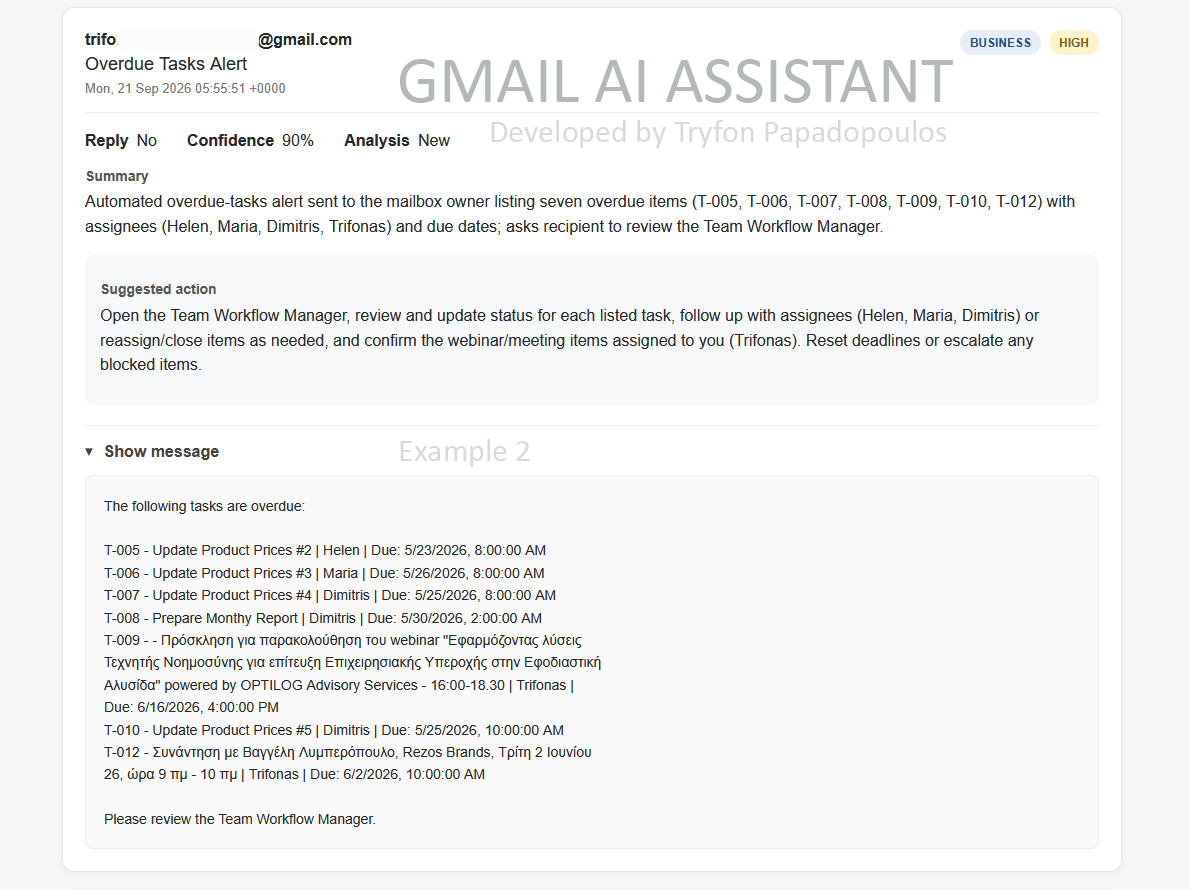
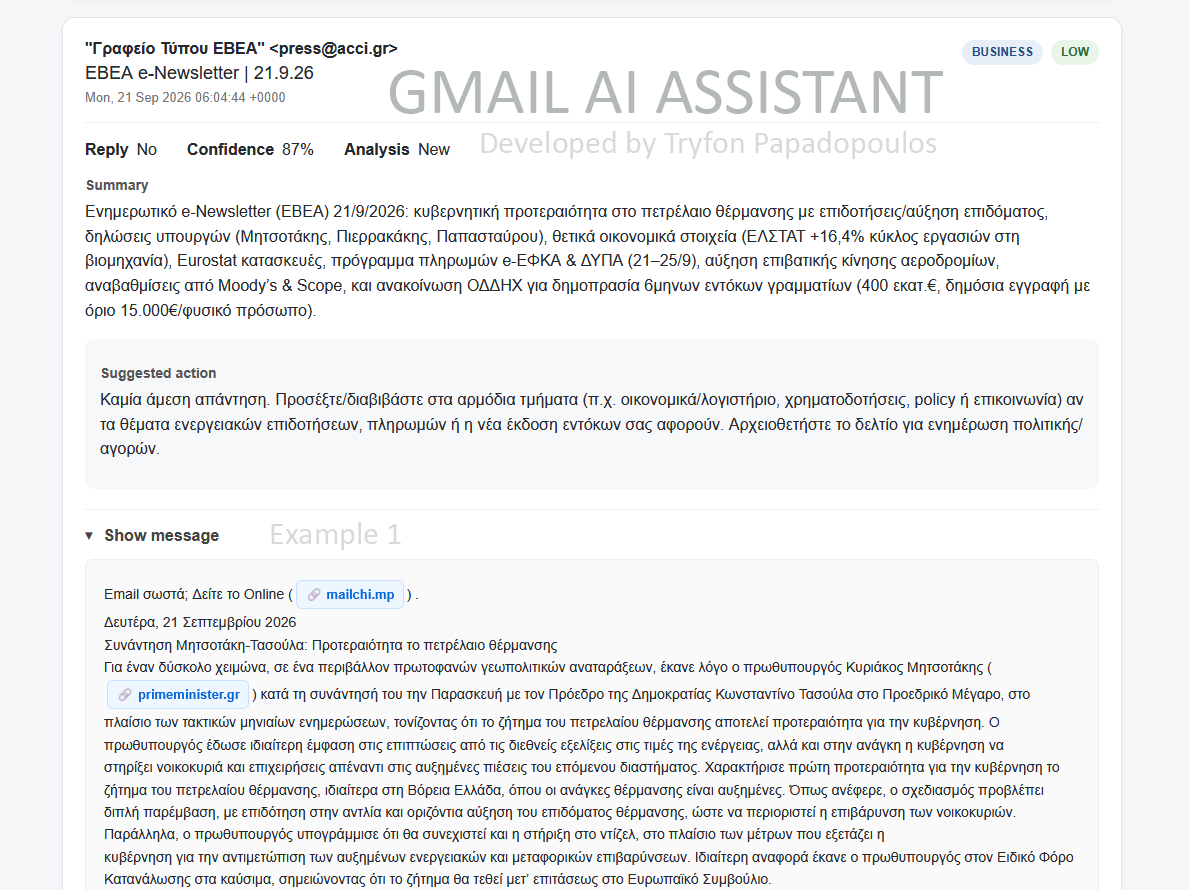
EN – This app turns your Gmail inbox into a local AI-assisted email dashboard. It fetches the latest 10 emails through the Gmail API, cleans and displays their contents, and uses OpenAI to classify each new message by category, priority, whether a reply is required, confidence, summary, and suggested action. Long URLs inside emails are converted into short, clearly visible, clickable links, while attachments and the original cleaned message remain available for inspection.
To make the application faster and cheaper, every completed AI analysis is stored locally in a SQLite database (gmail_agent.db), keyed by the Gmail message ID. When the application encounters the same email again, it loads the existing analysis instead of calling OpenAI again; only new emails require AI processing. The Flask interface uses Server-Sent Events (SSE) to stream progress to the browser in real time, so the loading window can show stages such as Fetching emails, Analyzing email 3/10, Loading cached analysis 7/10, and Complete, while processed email cards are delivered progressively to the dashboard.
—
GR – Αυτή η εφαρμογή μετατρέπει το Gmail σου σε έναν τοπικό πίνακα διαχείρισης email με υποστήριξη AI. Ανακτά τα 10 πιο πρόσφατα email μέσω του Gmail API, καθαρίζει και εμφανίζει το περιεχόμενό τους και χρησιμοποιεί το OpenAI για να αναλύσει κάθε νέο μήνυμα ως προς κατηγορία, προτεραιότητα, ανάγκη απάντησης, βαθμό βεβαιότητας, περίληψη και προτεινόμενη ενέργεια. Οι μεγάλες διευθύνσεις URL μετατρέπονται σε σύντομους και ευδιάκριτους συνδέσμους στους οποίους μπορείς να κάνεις κλικ, ενώ παραμένουν διαθέσιμα τα συνημμένα αρχεία και το καθαρισμένο περιεχόμενο του αρχικού μηνύματος.
Για μεγαλύτερη ταχύτητα και μικρότερο κόστος, κάθε ολοκληρωμένη ανάλυση αποθηκεύεται τοπικά σε μια βάση SQLite (gmail_agent.db), με βάση το μοναδικό Gmail ID του μηνύματος. Όταν το πρόγραμμα συναντήσει ξανά το ίδιο email, χρησιμοποιεί την ήδη αποθηκευμένη ανάλυση αντί να καλεί ξανά το OpenAI, επομένως μόνο τα νέα μηνύματα χρειάζονται νέα AI επεξεργασία. Η εφαρμογή Flask χρησιμοποιεί Server-Sent Events (SSE) για να εμφανίζει ζωντανά την πρόοδο στον browser, π.χ. Ανάκτηση email → Ανάλυση 3/10 → Φόρτωση αποθηκευμένης ανάλυσης 7/10 → Ολοκλήρωση, ενώ τα επεξεργασμένα email εμφανίζονται σταδιακά στον πίνακα διαχείρισης.


Comments are closed.