
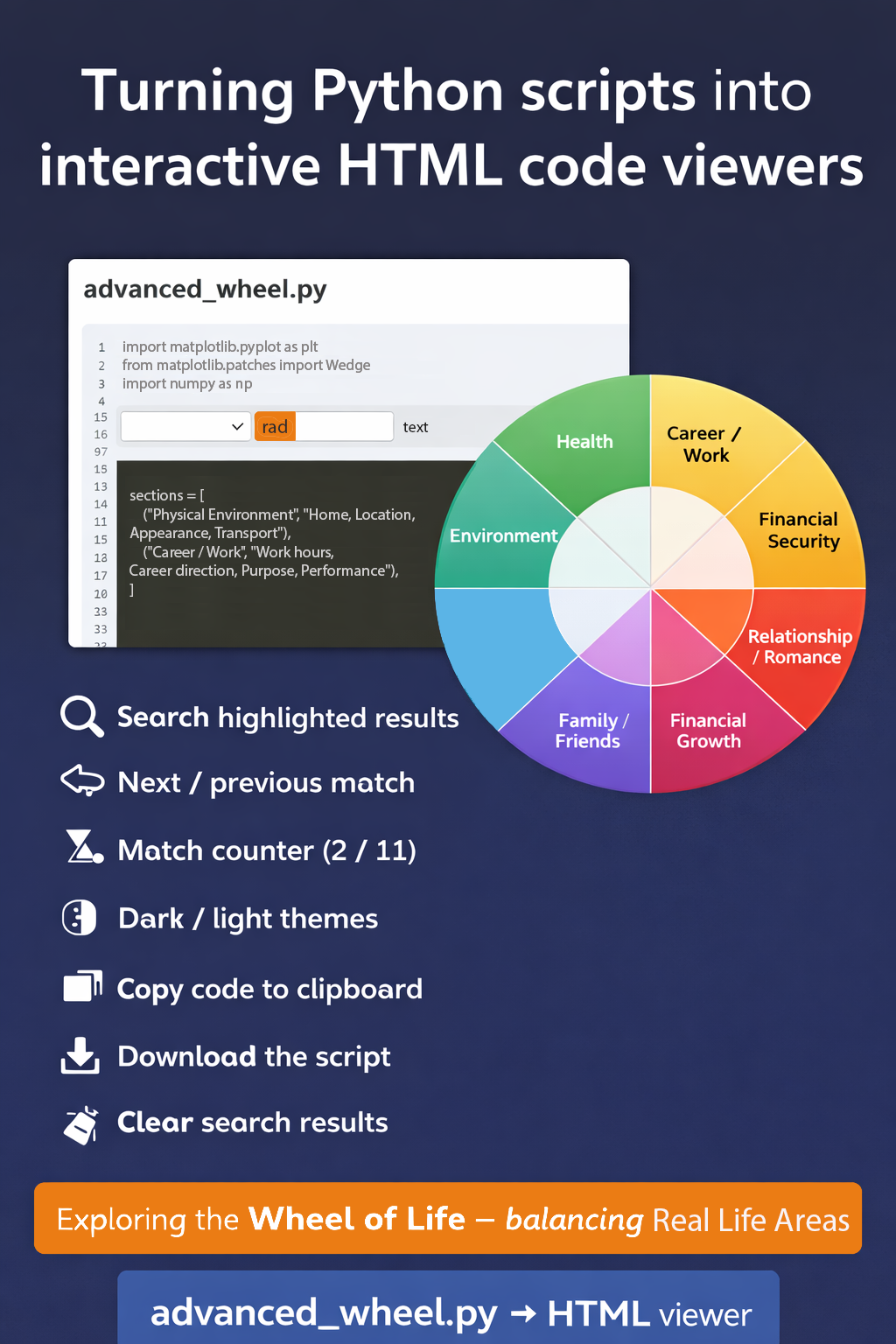
Building an Interactive Python Code Viewer and a Wheel of Life Visualization
As developers, we often share Python scripts with colleagues, students, or clients. However, raw .py files are not always the easiest format to read or explore, especially for people who are not familiar with development tools.
To address this, I created a self-contained Python-to-HTML code viewer that converts any Python script into an interactive web page.
This viewer makes Python code easier to read, search, and navigate, directly from a browser.
Wheel of Life – Balance Across Key Areas
As an example, I used the tool to present a Python script that generates a visual “Wheel of Life” diagram, a framework often used in coaching and personal development.
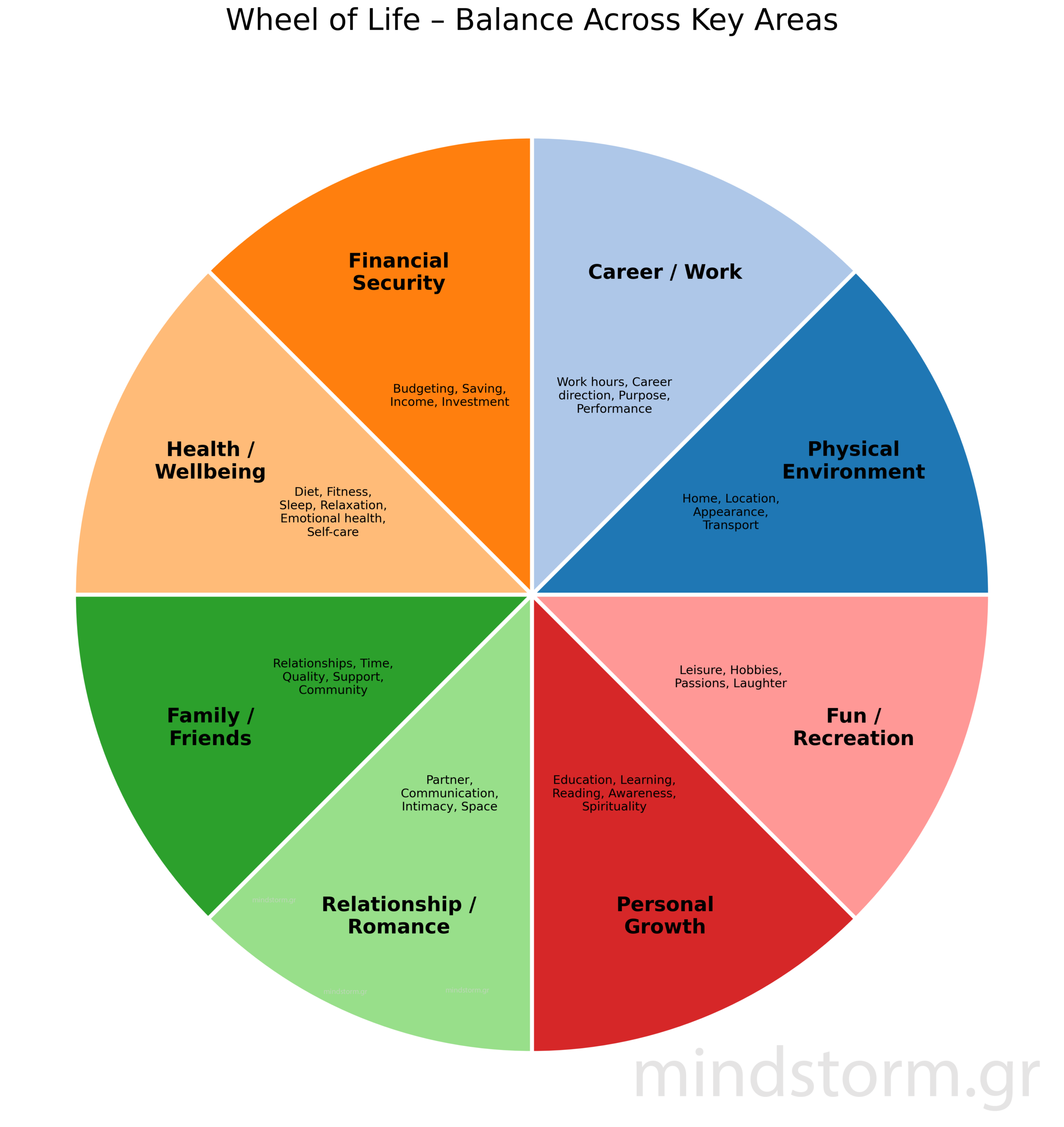
The Wheel of Life illustrates eight key areas that influence overall balance:
-
Physical Environment
-
Career / Work
-
Financial Security
-
Health / Wellbeing
-
Family / Friends
-
Relationship / Romance
-
Personal Growth
-
Fun / Recreation
Each area represents an important dimension of life that contributes to wellbeing and personal fulfillment.
The visualization helps people reflect on how balanced their lives are across these domains.
File path: “C:\PythonPrograms\advanced_wheel_of_life\advanced_wheel.py”, “C:\PythonPrograms\advanced_wheel_of_life\py_to_html.py”
The Python Code Viewer
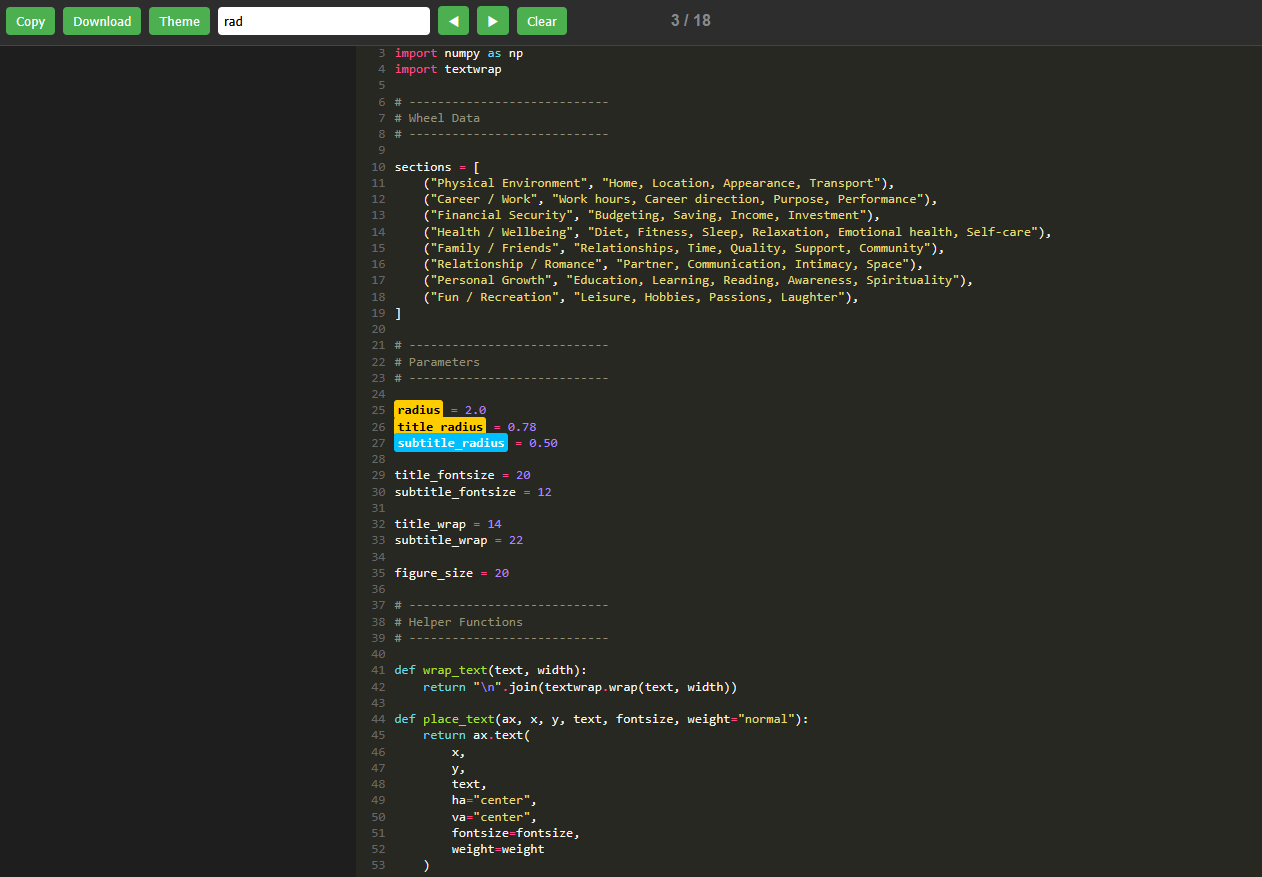
The viewer automatically converts a Python file into a fully interactive HTML page using the Pygments syntax highlighting library.
The result is a clean and readable code interface with useful tools for exploring the script.

Key Features
-
🔍 Search with highlighted results
-
⬅️➡️ Next / Previous navigation between matches
-
📊 Match counter (e.g., 3 / 18)
-
🌗 Dark and Light themes
-
📋 Copy code without line numbers
-
⬇️ Download the original script
-
🧹 Clear search results
Because everything is embedded in a single HTML file, it can be opened directly in any browser without installing additional software.
Why This Tool Is Useful
This approach can be very helpful for:
-
Sharing readable code with others
-
Teaching programming concepts
-
Creating lightweight code documentation
-
Reviewing scripts quickly
-
Presenting Python projects online
Instead of sending a plain .py file, you can provide a clean and interactive code viewer.
Try It Yourself
You can explore the interactive version of the script below:
advanced_wheel.py → HTML viewer
https://mindstorm.gr/wp-content/uploads/2026/03/advanced_wheel-1.html
From the viewer you can:
-
search the code
-
navigate matches
-
copy the script
-
download the original Python file
Credits
Python script and viewer created by
Tryfon Papadopoulos
For business inquiries: info@mindstorm.gr




Comments are closed.