
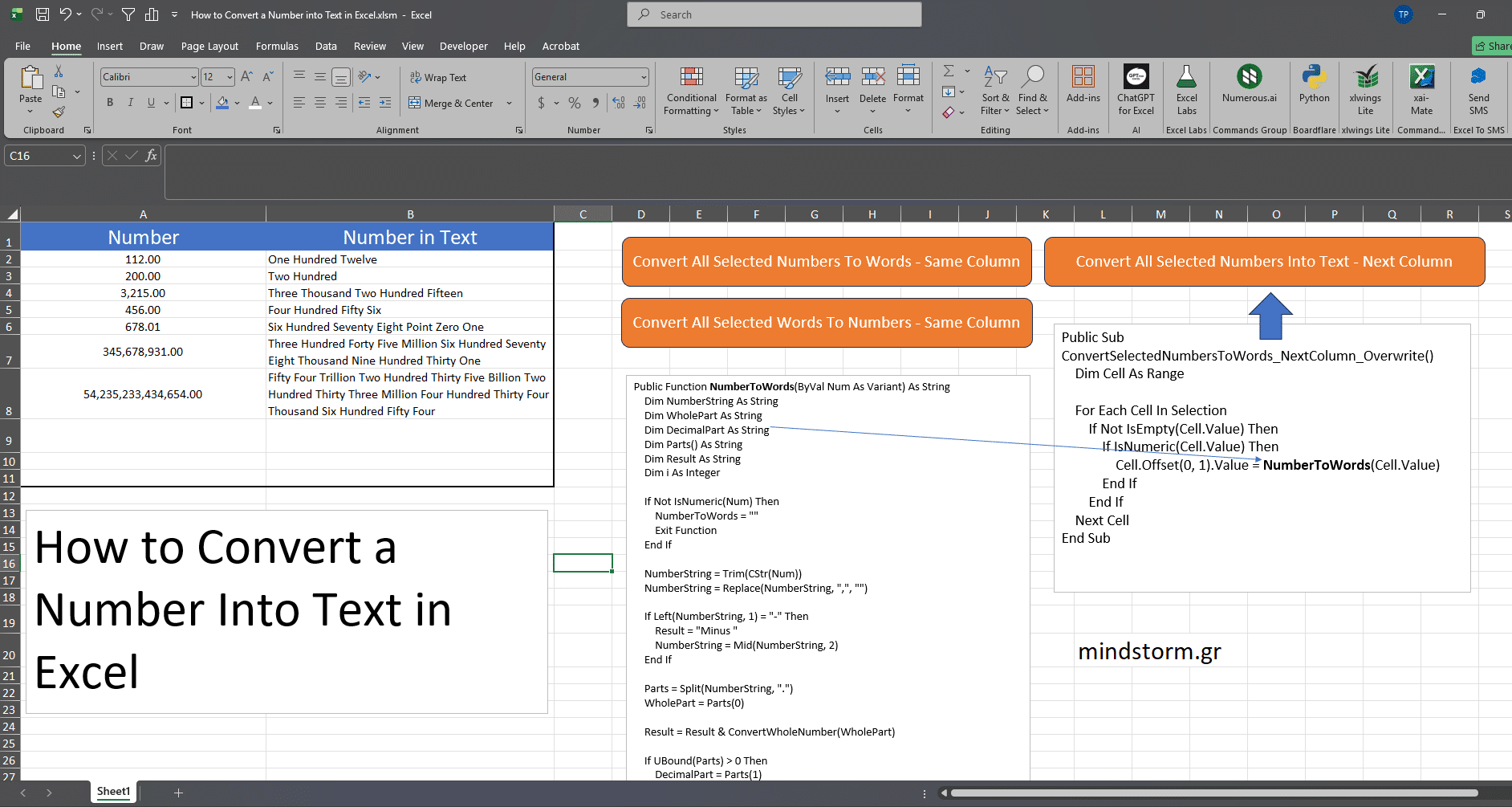
I will show you how to convert numbers into text in Microsoft Excel using a simple VBA function.
Microsoft Excel does not have a direct built-in formula to convert numbers into words, but with the help of VBA code, we can create our own custom function and use it like a normal Excel formula. In this tutorial, you will learn how to open the VBA Editor, insert a Module, paste the VBA code, and use the custom function NumberToWords in Excel.
You can use this method to convert numbers like 112 into One Hundred Twelve directly in your worksheet.
VBA Code
View the VBA Code (txt format)
Download the Macro-Enabled excel file
Views: 8


Comments are closed.