
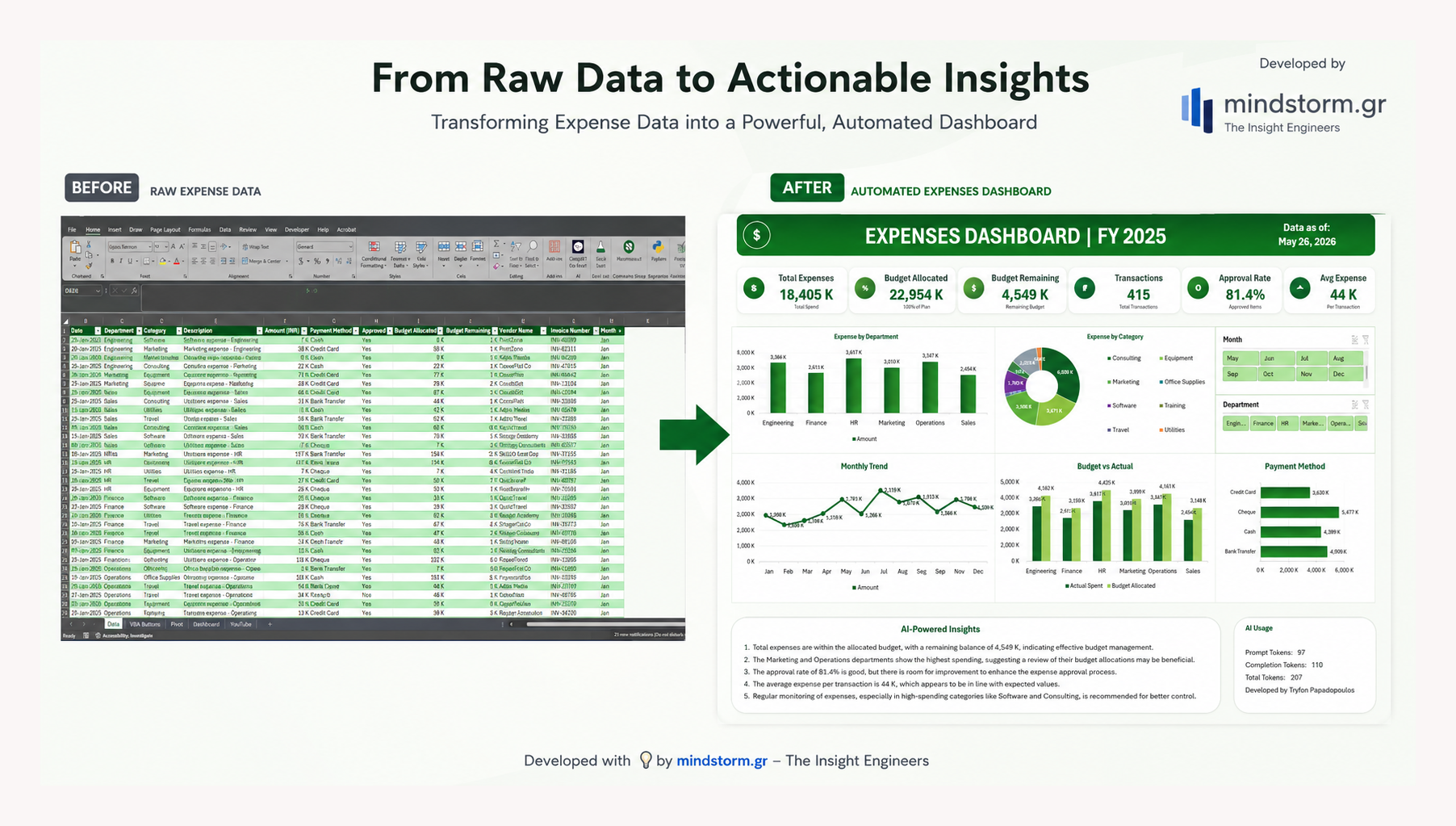
From Raw Data to an AI-Powered Dashboard: Transforming an Excel File into a Decision-Making Tool
EN – Data alone is not enough.
The real value comes from transforming data into meaningful information, visual insights, and actionable intelligence that supports better decision-making.
In this project, a simple Excel file containing financial transactions was transformed into a fully interactive AI-Powered Expenses Dashboard using:
- Excel
- VBA Automation
- Pivot Tables
- Dynamic Charts
- Interactive Slicers
- OpenAI / ChatGPT API Integration
The original dataset included:
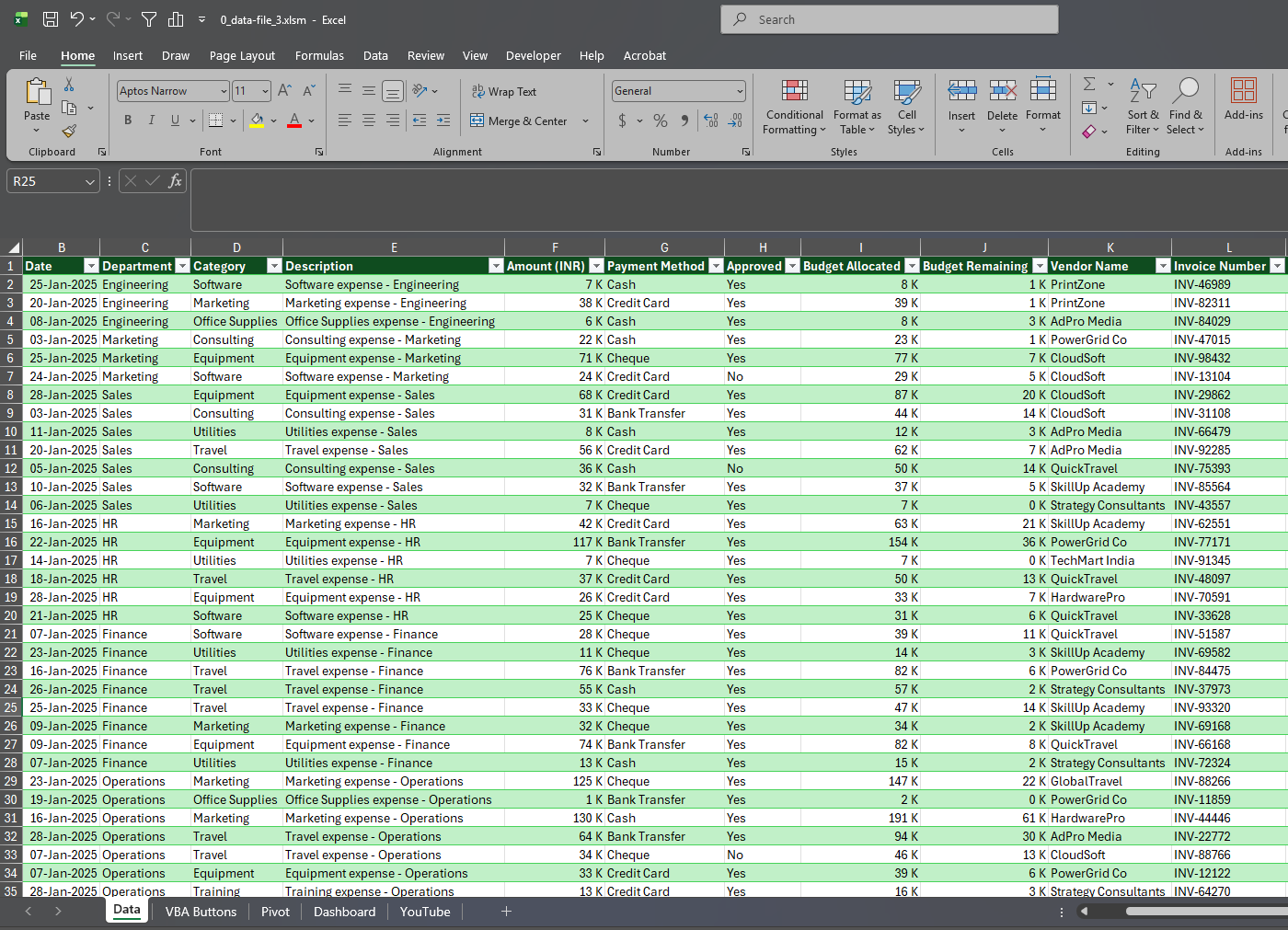
- dates
- departments
- expense categories
- amounts
- payment methods
- approvals
- vendors
- invoices
From this raw data, a complete interactive dashboard was created featuring:
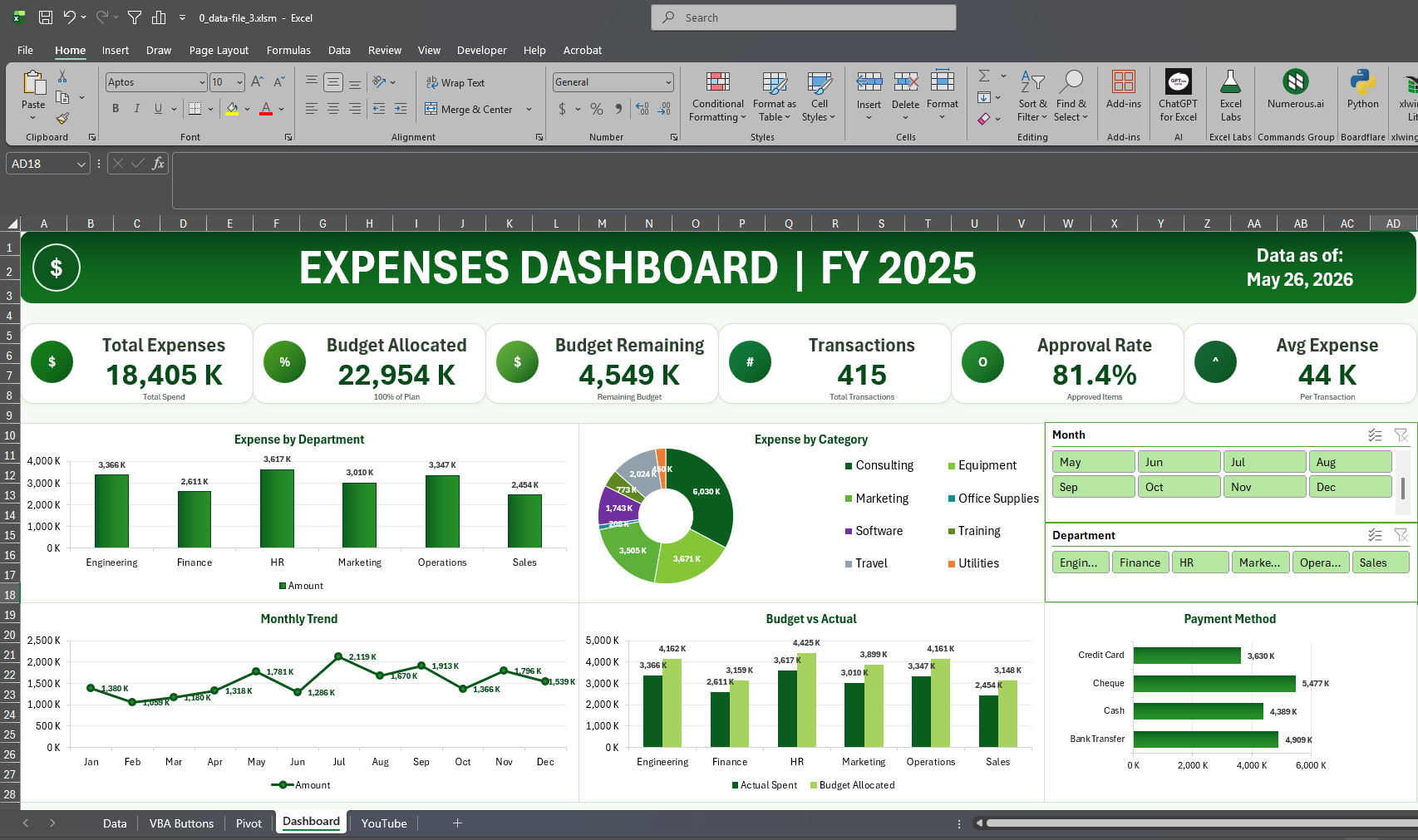
✅ KPI Cards
✅ Dynamic Charts
✅ Department & Month Filters
✅ Budget vs Actual Analysis
✅ Payment Method Monitoring
✅ AI-Generated Executive Insights
✅ Token Usage Monitoring via OpenAI API
One of the most interesting aspects of the project was integrating ChatGPT directly into Excel through VBA, allowing the dashboard to automatically generate:
• business insights
• budget observations
• approval efficiency analysis
• monitoring recommendations
• executive summaries
In other words, Excel evolved from a static spreadsheet into a business intelligence and decision-support tool — all at the press of a button.
What does this approach offer?
🔹 Faster data analysis
🔹 Better KPI visualization
🔹 Automated insights
🔹 Reduced manual reporting
🔹 Faster decision-making
🔹 A practical combination of Excel + AI without complex platforms
Connecting traditional tools like Excel with modern AI capabilities opens new opportunities for:
- businesses
- financial analysis
- reporting
- dashboards
- ERP systems
- data analytics
AI does not replace analysis.
It accelerates it, improves it, and makes it more accessible.
Filename: “C:\macro_enabled_excel_files\0_data-file_3.xlsm”
CTA
🚀 Want to build your own AI-powered dashboards using Excel, VBA, and ChatGPT?
At mindstorm.gr we share:
- tutorials
- automation projects
- dashboards
- AI integrations
- business analytics ideas
- practical AI applications
👉 Discover more at:
🌐 https://mindstorm.gr
💡 From data… to decisions.


Comments are closed.